
How to Create a New Gmail Account Step-by-Step Process (Kids & Adults)
Creating a Gmail account is one of the first steps many people take when they start using the internet for study, work, communication, or online services. A Gmail address can be used for sending and receiving email, signing up for websites, communicating with teachers or employers, and accessing Google services.
For a student, the requirement may be as simple as having an email address for college communication. For a job seeker, Gmail can become the main contact address used on a resume and job applications. Parents may also want to understand the account-creation process before helping a child set up an appropriate Google account.
The good news is that creating a new Gmail account is generally a straightforward process. The important part is not just knowing which buttons to click. You should also understand how to choose an appropriate username, protect the account, handle recovery information, and consider age-related requirements when creating an account for a child.
This guide explains the Gmail account creation process in simple steps for both adults and younger users. It also covers common problems, security precautions, practical examples, and things worth checking before you start using the new account.
What Is a Gmail Account?
Gmail is Google’s email service. A Gmail address generally uses the @gmail.com domain and can be used to send and receive email.
A Google account and a Gmail address are closely connected, but they are not exactly the same concept. A Google Account provides access to Google’s account ecosystem, while Gmail is Google’s email service associated with an account that has Gmail enabled.
For an ordinary user, the distinction is less important during the initial setup. What matters is understanding that creating a Gmail account can give you an email address that you can use for everyday communication and access to other Google services.
For example, a college student might create an address for academic communication, while a working professional may use a more formal address for employment-related communication.
Who Should Create a New Gmail Account?
A new Gmail account can be useful for several types of users.
College and school students
Students often need an email address for communication with institutions, online learning services, applications, and educational resources.
It is sensible to choose a username that looks reasonably professional. An address based on your name is usually easier for teachers, recruiters, and other contacts to recognise.
Job seekers and fresh graduates
A dedicated professional email account can make job applications easier to manage.
For example, instead of using an old address containing a nickname or unrelated words, a job seeker may prefer an address based on their name.
You should still check whether a college or employer has provided an official email address. If one exists, use the official address where required.
Working professionals
A separate personal Gmail account can help keep personal communication independent from a company’s email system.
A company may provide its own work email, so employees should follow their employer’s rules rather than using a personal Gmail address for official business when that is not permitted.
Freelancers and small-business owners
A Gmail address can be useful for enquiries, registrations, invoices, project communication, and other routine correspondence.
However, a Gmail address does not automatically make a business communication channel professional. As a business grows, users may want a domain-based business email and appropriate administrative controls.
Parents and families
Parents may need to create or manage an account for a child. This is where age requirements and parental supervision become especially important.
Do not simply enter an incorrect date of birth to bypass an age-related requirement. Follow Google’s current account and child-account guidance.
How to Create a New Gmail Account Step-by-Step
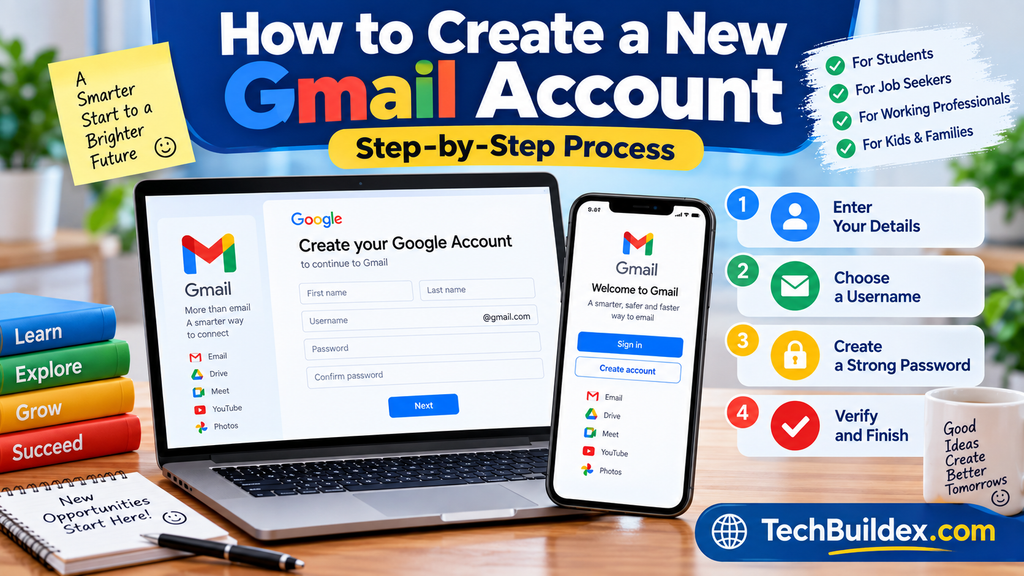
The exact appearance of Google’s account-creation screens can change over time. The names of buttons or the order of certain verification steps may therefore look slightly different.
The basic process is generally as follows.
Step 1: Open the Official Google Account Sign-Up Page
Start from Google’s official account-creation service rather than clicking an unknown link received through email, WhatsApp, SMS, or social media.
Look for the option to create a Google Account and begin the registration process.
Using the official Google website is an important safety habit. There are many websites that imitate popular services, and entering your password into an unfamiliar page can expose your account.
Before entering sensitive information, check the website address carefully.
Step 2: Choose the Account Type
Google may ask what type of account you want to create.
Depending on the current interface and your circumstances, you may see options relating to personal use, a child, or business use.
Choose the option that genuinely matches the person and purpose of the account.
For example:
- An adult creating a personal email account should choose the appropriate personal option.
- A parent setting up an account for a child should follow the child-account process when applicable.
- A business owner should consider whether a personal Google Account or a business-oriented Google solution is appropriate.
Do not choose an account type simply because it appears to offer an easier registration route.
Step 3: Enter the Person’s Name
Google will ask for basic account information, including a name.
Enter information accurately and consistently.
For a personal account, using the person’s actual name can make the account easier to recognise later. For professional communication, consistency is particularly useful because recruiters or clients should be able to identify who is contacting them.
Avoid entering somebody else’s details or creating an account that intentionally impersonates another person.
Step 4: Enter Your Date of Birth and Other Required Information
The registration process may ask for information such as date of birth and gender.
Date of birth is particularly important when creating an account for a child because Google applies age-related requirements and account options.
Do not enter a false birth date merely to make an account appear to belong to an older person.
Age requirements and available account options can vary by country and can change. If you are creating an account for a child, check Google’s current official guidance before completing registration.
This is one of the areas where parents should pay attention rather than rushing through the form.
Step 5: Choose a Gmail Address
This is one of the most important decisions during Gmail account creation.
You will generally be asked to select a Gmail username. Your chosen address needs to be available.
A good Gmail address should ideally be:
- Easy to read
- Easy to remember
- Appropriate for the account’s purpose
- Reasonably professional when used for education or employment
- Free from unnecessary numbers and confusing characters
For example, a student may prefer an address built around their name rather than an unrelated gaming nickname.
If your preferred username is unavailable, try a sensible variation rather than adding a long sequence of random numbers.
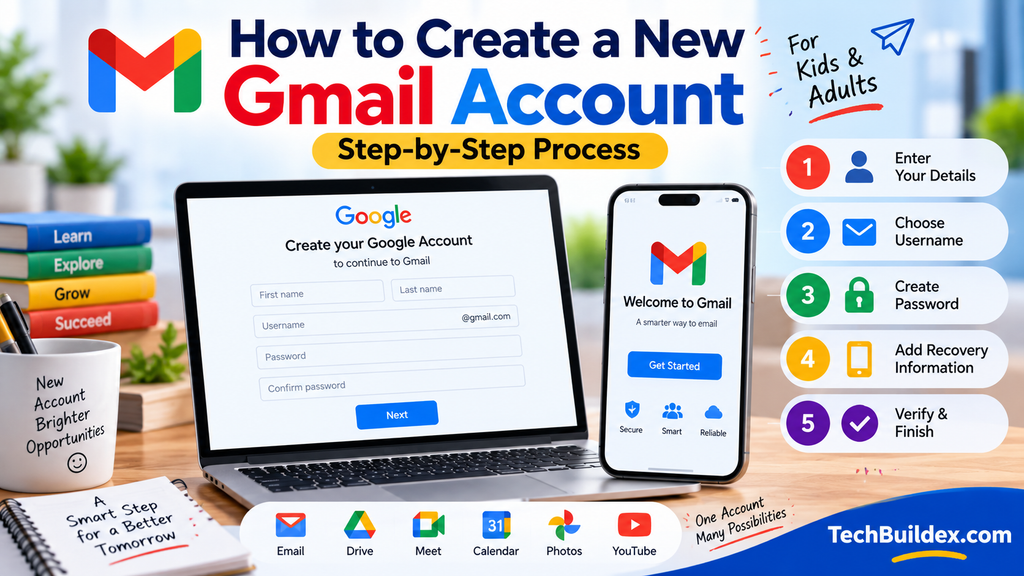
A useful approach for job seekers
Suppose a person’s name is Ravi Kumar.
An address based on the person’s name would generally be more suitable for job applications than something like:
coolboy123…
The exact availability of any username cannot be guaranteed because usernames are assigned according to Google’s current rules and availability.
How to Choose a Good Gmail Username
Your Gmail address can remain with you for years, so it is worth spending a few minutes choosing carefully.
For students
A simple name-based address is usually sufficient.
For example, use a format based on your name, initials, or another sensible variation if the preferred address is unavailable.
For job seekers
Think about how the address will appear on a resume.
A recruiter should be able to understand the address without wondering whether it belongs to the correct candidate.
For personal use
You have more flexibility. A personal address can be casual, provided you are comfortable using it for future registrations and communication.
Avoid unnecessary information
Do not put sensitive personal information into a public-facing email address if it can be avoided.
Your email address may appear on resumes, forms, social profiles, or documents, so it is better not to expose unnecessary details.
Step 6: Create a Strong Password
Your password is one of the most important parts of the account.
Avoid passwords based on:
- Your name
- Date of birth
- Mobile number
- 123456
- Simple words
- Easily guessed family information
- Passwords reused across many websites
A stronger approach is to use a long, unique password that you do not use for another important account.
Password length and uniqueness matter because if the same password is exposed through another service, attackers may try it elsewhere.
A password manager can also help users generate and store unique passwords.
Step 7: Add Recovery Information When Appropriate
Google may provide options for adding recovery information.
Recovery information can be useful if you forget your password or need to recover access to the account.
A recovery phone number or recovery email should belong to someone who can reliably access it and should be kept secure.
For a child’s account, parents should pay particular attention to how recovery and supervision are configured.
Do not casually add another person’s phone number or email address without understanding what access or recovery role it may have.
Step 8: Review Google’s Terms and Privacy Information
Before finishing account creation, Google will provide information about its terms and privacy practices.
Read the information rather than automatically clicking through every screen.
You do not need to memorise every paragraph, but you should understand that creating an online account involves data handling, account security, and service-specific terms.
Privacy settings can also be reviewed after the account is created.
Step 9: Complete Any Required Verification
Depending on Google’s current registration process and your circumstances, you may be asked to complete a verification step.
The exact requirements can change.
For example, Google may use additional checks to protect its services from abuse or to confirm account-related information.
If Google asks for information that you do not understand, stop and check Google’s official help documentation rather than following instructions from an unknown person.
Step 10: Finish the Account Setup
After completing the required registration steps, you should be able to access your Google Account and Gmail.
Open Gmail and check whether the new address is working correctly.
A simple test is to send an email to a trusted existing email address and then reply to it.
This helps confirm that you can send and receive messages.
How to Create a Gmail Account for Kids
Creating an account for a child requires more care than creating an ordinary personal account.
The correct process depends on the child’s age, country, and Google’s current account policies.
Parents should use Google’s official child-account and family-management guidance rather than attempting to bypass age restrictions.
Why age matters
Online services can apply different rules to children and adults.
Google’s current requirements and available options can vary depending on the country. Therefore, parents should verify the current rules directly with Google before creating an account for a child.
The safest approach is to provide the child’s genuine information during setup and follow the parental supervision process when applicable.
Parents Should Teach Email Safety
Creating the account is only the first step.
Children should also understand that:
- They should not share their password with friends.
- They should not click suspicious email links.
- They should not send personal information to unknown people.
- They should ask a parent or trusted adult about unexpected messages.
- They should not assume an email is genuine just because it contains a familiar logo.
- They should report suspicious activity instead of responding impulsively.
These habits are more valuable than simply knowing how to open Gmail.
Gmail Account Creation on a Phone
Many Indian users create their first email account using an Android smartphone.
The general process is similar to creating the account through a browser.
Open Google’s account creation option and follow the registration prompts. If you are already signed into another Google account on the phone, pay attention to which account is currently active.
This matters because people sometimes accidentally create or configure settings for the wrong Google account.
After creating the account, open the Gmail app and check the account list to confirm that the correct address is available.
A practical tip
If a phone is shared by several family members, make sure you know which Google account is signed in before sending an email.
This simple check can prevent messages from being sent from the wrong address.
Gmail Account Creation on a Computer
On a desktop or laptop, you can use a web browser to open Google’s account-creation service.
The larger screen can make the registration form easier to inspect, especially for parents helping children or older users who find mobile screens difficult.
After registration, open Gmail and verify that the new account is shown correctly.
If you use a shared computer, avoid saving your password in the browser unless you understand the device’s security and account separation.
Always sign out when appropriate on a public or shared computer.
What to Do Immediately After Creating Gmail
Creating the account is not the end of the setup.
A few additional steps can make the account safer and easier to manage.
Turn on stronger account security
Review the security section of your Google Account.
Where available and appropriate, use stronger sign-in protection such as two-step verification.
Two-step verification can provide an additional layer of protection beyond the password.
The exact methods Google offers may change, so check Google’s current security documentation.
Check Account Recovery Options
Make sure recovery information is accurate.
If you change your phone number or lose access to your recovery email, update the relevant account settings.
Recovery information that is outdated may become a problem precisely when you need it most.
Review Privacy Settings
Take some time to review Google’s privacy controls.
You do not have to change every available setting. Instead, understand what information is associated with the account and what controls are available.
This is particularly important for accounts used by children.
Learn to Recognise Phishing
A new Gmail user can become a target for fake messages.
An email may claim to come from a bank, courier company, school, employer, government service, or technology company.
Do not trust a message simply because it looks professional.
Check the sender, links, request, and context before taking action.
If an email asks for your password, payment details, verification code, or other sensitive information unexpectedly, treat it cautiously.
Common Gmail Account Creation Problems
Not every registration attempt works smoothly.
Here are some common situations.
“This username is already taken”
Someone else may already be using the username or the username may not be available under Google’s current rules.
Try a different variation that remains easy to remember.
Do not buy or borrow an email address from an unknown person.
Verification does not work
If Google asks for verification and you cannot complete it, follow Google’s official troubleshooting guidance.
Avoid using unofficial services that claim they can bypass Google’s verification system.
You forgot the password immediately
This is surprisingly common among new users.
If you have just created an account, avoid repeatedly guessing the password.
Use Google’s official account-recovery process and make sure your recovery information is accessible.
The new account is not showing in Gmail
On a phone, check which Google account is currently selected in the Gmail application.
On a browser, check the account menu.
If several Google accounts are signed in simultaneously, switching between them carefully can prevent confusion.
Gmail Account: Practical Use Cases
A Gmail account becomes useful when it is organised around real needs.
| User | Practical Gmail Use | Sensible Approach |
| College student | College communication and applications | Use a readable name-based address |
| Job seeker | Resumes and recruitment communication | Keep the address professional |
| Employee | Personal communication | Keep personal and company accounts separate |
| Freelancer | Client enquiries | Use clear folders/labels and professional communication |
| Teacher | Educational communication | Follow institution policies |
| Small business owner | Enquiries and registrations | Consider a business email as the business grows |
| Parent | Family and supervised account management | Follow current child-account guidance |
The important point is that Gmail is an email service, not a replacement for every communication or business system.
For example, a company may require employees to use its official corporate email. A college may also provide institutional accounts. In those situations, follow the relevant organisation’s rules.
Gmail Account Security Mistakes to Avoid
New users often make simple mistakes that can create unnecessary risk.
Never share verification codes
A verification code sent to your phone or account should be treated as sensitive information.
If someone calls and asks you to read out a code they claim was sent “by mistake,” do not provide it.
Do not reuse your main password
Using one password everywhere creates a single point of failure.
If another website is compromised, attackers may try the exposed password against your Gmail account.
Avoid suspicious links
Hover over links on a computer when appropriate and inspect where they lead before clicking.
On a phone, be especially careful because shortened or unfamiliar links can be harder to inspect.
Don’t ignore unusual account activity
If you notice unfamiliar sign-in activity, unexpected password-reset messages, or other suspicious changes, investigate promptly using Google’s official account-security tools.
Gmail for Job Seekers: A Simple Professional Setup
A job seeker can keep Gmail organised with a few practical habits.
Create labels or folders for categories such as:
- Job Applications
- Interview
- Recruiter
- Documents
- Important
You can also keep a clean email signature containing appropriate contact information.
Do not put unnecessary personal information in your signature.
When sending a resume, use a clear subject line and attach the correct document. Always check the recipient and attachment before pressing Send.
These small habits can make email communication much more professional.
Gmail for Students: Keeping Academic Email Organised
Students can quickly accumulate messages from colleges, online learning platforms, teachers, scholarship programmes, and applications.
Instead of allowing the inbox to become difficult to manage, use labels or other Gmail organisation features available in the current interface.
A student can separate academic communication from general subscriptions and promotional emails.
It is also useful to periodically review old messages and remove unnecessary subscriptions.
If a school or college provides an official email account, students should use that account where required.
Can You Have More Than One Gmail Account?
People may maintain multiple Google accounts for different purposes.
For example, someone may have:
- A personal account
- A professional/job-search account
- A separate account for a project or other legitimate purpose
Having multiple accounts can be useful, but it also creates a management responsibility.
You need to remember which account is connected to which service.
Before sending an important message, uploading a document, or registering for a service, confirm the active Google account.
Gmail Account vs College or Company Email
A personal Gmail account and an institutional email account serve different purposes.
A company email is generally controlled by the employer and may be subject to company policies.
A college email may provide access to institution-specific systems.
A personal Gmail account remains useful for personal communication and services that are not tied to an institution.
Do not assume that a personal Gmail account should replace an official account.
Is Gmail Free?
Google has historically offered Gmail as part of its consumer Google Account ecosystem without a separate subscription required simply to create a standard personal Gmail address.
However, storage limits, account services, business products, and paid offerings can change.
If you are making a decision based on current storage, pricing, business features, or plan limits, verify the current information on Google’s official website before publishing or relying on it.
Should You Use Your Real Name in a Gmail Address?
For professional purposes, a name-based email address is usually sensible because it makes identification easier.
For personal accounts, users have more flexibility.
There is no universal requirement that every Gmail username must be your full legal name, but the information supplied during account registration should be accurate and should follow Google’s current policies.
For a resume, a clean name-based address is generally easier for employers to understand than an informal nickname.
A Simple Gmail Setup Checklist
Before considering your new account ready, check the following:
- Gmail address is correct.
- Password is unique and secure.
- Recovery information is accessible.
- Date of birth was entered accurately.
- Child accounts follow applicable age and supervision requirements.
- Two-step verification has been considered.
- You understand how to recognise suspicious emails.
- You know how to recover the account.
- You have tested sending and receiving email.
- You know which account is active on your phone or browser.
This checklist takes only a few minutes but can prevent avoidable problems later.
FAQs About Creating a New Gmail Account
How do I create a new Gmail account?
Go to Google’s official account-creation service and follow the registration steps. You will generally need to provide basic information, choose an available Gmail address, create a password, and complete any verification or account setup steps Google currently requires.
Can a child have a Gmail account?
Children may be able to use Google accounts under Google’s applicable age and family-management requirements. The rules can vary by country and may change. Parents should use Google’s official child-account process and provide accurate information rather than attempting to bypass age restrictions.
Can I create Gmail on my mobile phone?
Yes, Gmail and Google accounts can be set up using a smartphone. The exact screens may differ depending on the device and current Google interface. Make sure you check which Google account is active if multiple accounts are already signed in.
What should I use as my Gmail username for a job application?
A simple name-based address is usually a sensible choice for job applications. Avoid usernames that contain jokes, slang, excessive random numbers, or wording that could look unprofessional. If your preferred address is unavailable, use a clear variation of your name.
Do I need a phone number to create Gmail?
Google’s registration and verification requirements can change, and whether a particular verification method is requested may depend on the circumstances. Follow the current instructions shown by Google rather than relying on an old tutorial.
Can I have multiple Gmail accounts?
Users can maintain multiple Google accounts for legitimate purposes. The main challenge is keeping track of which account is being used for each service. When several accounts are signed in, check the active account before sending important email or accessing account-specific information.
What should I do if my Gmail username is unavailable?
Choose another available variation. Consider using your name, initials, or another simple combination that remains easy to remember. Avoid creating an unnecessarily complicated address just because your first choice is unavailable.
How can I protect a new Gmail account?
Use a unique password, review recovery information, consider two-step verification, and learn to recognise phishing attempts. Never share passwords or sensitive verification codes with other people.
Can I use a Gmail account for job applications?
Yes, a personal Gmail address can be used for job-related communication unless an employer specifically requires another address. For job searching, use a professional-looking email address and check messages regularly so that you do not miss recruiter or employer communication.
Conclusion
Learning how to create a new Gmail account is not difficult, but a good setup involves more than simply choosing an email address and password. The account should be created with accurate information, protected with sensible security practices, and organised according to how it will actually be used.
For students and job seekers, choosing a clean and professional Gmail address can be particularly useful. For parents creating an account for a child, age requirements and family supervision deserve extra attention. For working professionals, keeping personal Gmail separate from company systems can prevent unnecessary confusion.
The practical next step is simple: use Google’s official account-creation process, choose an address you will be comfortable using for years, create a unique password, review recovery and security options, and test the account by sending and receiving an email.
Google’s account interface and requirements can change, so always check Google’s current official guidance when an important registration or security decision depends on a specific requirement.
Disclaimer
Features, account requirements, availability, privacy controls, verification methods, and terms can change over time. Readers should verify important details on Google’s official website before creating or relying on an account, particularly when setting up an account for a child.


Leave a Comment