
How to Apply for PAN Card Online: Step-by-Step Process in 2026
Applying for a PAN card is one of those basic financial tasks that many people postpone because the process looks more complicated than it actually is. For a student opening a bank account, a fresh graduate joining a company, a salaried employee handling tax-related work, or a small business owner managing financial transactions, having a PAN is an important part of keeping financial records properly organised.
The good news is that eligible individuals can apply for PAN-related services online. There is also an Instant e-PAN facility provided by the Income Tax Department for eligible individuals who have not previously been allotted a PAN and have a valid Aadhaar with a mobile number linked to it. The service is free and provides a digitally signed electronic PAN.
However, there is an important 2026 update that applicants should not miss. From 1 April 2026, fresh PAN applications are governed by the new forms prescribed under the Income-tax Rules, 2026. The Income Tax Department specifically states that the older Form 49A, Form 49AA and change-request forms are no longer the forms for fresh applications after the transition date. Existing PAN numbers continue to remain valid.
This guide explains the PAN application process in simple steps, including the Aadhaar-based Instant e-PAN route, what information you should keep ready, common mistakes, the difference between e-PAN and a physical PAN card, and what you should do after receiving your PAN.
What Is a PAN Card?
PAN stands for Permanent Account Number. It is an identification number used for income-tax and various financial and regulatory purposes in India.
A PAN is associated with the taxpayer’s records rather than simply being another identity document. This distinction is important. A PAN card is the physical or electronic representation of the PAN, while the PAN itself is the identification number.
For example, a person may receive a digitally signed e-PAN without immediately receiving a physical card. The electronic PAN can still serve as the PAN document, subject to the requirements of the organisation requesting it.
This is why applicants should not assume that they must first receive a plastic or printed card before the PAN becomes useful.
Who Should Apply for a PAN?
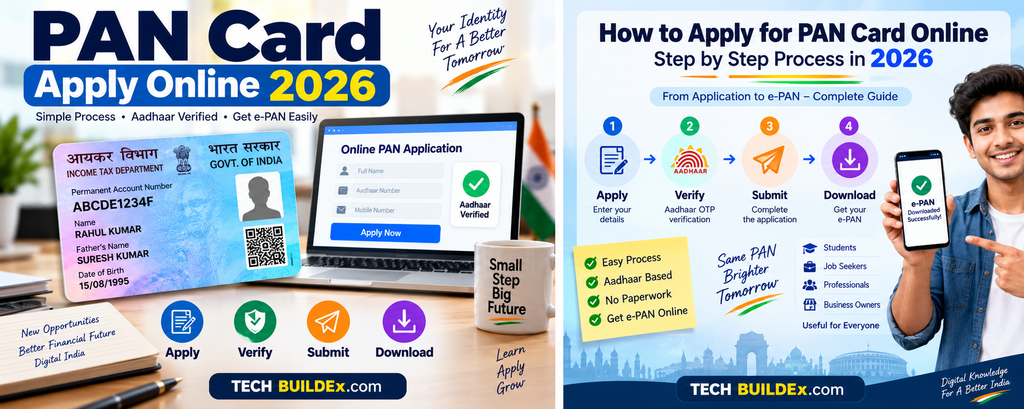
A person who has not already been allotted a PAN and needs one for applicable tax or financial purposes can consider applying through the authorised process.
Typical situations include:
- A student who needs PAN for a financial requirement
- A fresh graduate beginning professional life
- A salaried employee who needs PAN for tax-related records
- A freelancer receiving income
- A person starting a business or professional activity
- An individual who needs PAN for applicable financial transactions
- A person who has been specifically asked to provide PAN by a bank or another authorised institution
The exact requirement depends on the person’s circumstances. PAN should not be treated as something to apply for multiple times simply because different organisations request the document.
Do Not Apply for a Second PAN
One of the most important practical points is to avoid applying for another PAN if you already have one.
The Income Tax Department’s Instant e-PAN facility is specifically intended for individuals who have not already been allotted a PAN. If an individual already has a PAN, the Instant e-PAN service cannot be used to create another one.
If you have lost your existing PAN card, that is a different situation from never having been allotted a PAN. A lost card does not mean that you should apply for a new PAN.
PAN Application Process in 2026
There are two important things to understand before starting.
First, the Instant e-PAN service is an Aadhaar-based electronic PAN facility available to eligible individuals.
Second, the wider PAN application process has been updated from 1 April 2026. The Income Tax Department confirms that new PAN applications from this date use the forms prescribed under the Income-tax Rules, 2026. The notified Form 93 is titled “Application for Allotment of Permanent Account Number” for an individual who is a citizen of India.
Therefore, an article published today should not blindly instruct readers to use the old Form 49A as though nothing has changed.
What Is Instant e-PAN?
Instant e-PAN is an online service provided by the Income Tax Department through its e-Filing portal.
It allows an eligible individual who has not previously been allotted a PAN to obtain a digitally signed PAN in electronic format using Aadhaar-based verification. The official service is described as a free, pre-login service.
This route is particularly useful for people who need an electronic PAN and meet the eligibility requirements.
The service is not intended to replace every possible PAN application situation. Eligibility conditions apply.
Eligibility for Instant e-PAN
According to the Income Tax Department, an applicant generally needs to meet these conditions:
- The applicant must be an individual.
- The applicant must not already have a PAN.
- The applicant must have a valid Aadhaar.
- The mobile number must be linked with Aadhaar.
- The applicant must not be a minor on the date of the request.
- The applicant must not fall within the specified Representative Assessee category.
- Access to DigiLocker may be required for the document-related part of the current process.
This means that simply having an Aadhaar number does not automatically mean every person can use Instant e-PAN.
Documents and Details You Should Keep Ready
For the Aadhaar-based Instant e-PAN route, the basic requirements are comparatively simple.
Keep the following ready:
- Valid Aadhaar number
- Mobile number linked with Aadhaar
- Access to DigiLocker
- Correct personal details
- Access to the mobile phone for OTP verification
The Income Tax Department’s current user manual also explains that DigiLocker can be used to fetch acceptable proof related to the applicant’s date of birth. Depending on the documents available in DigiLocker, examples include a birth certificate, matriculation certificate or marksheet, driving licence, and certain government health documentation.
The important practical lesson is simple: make sure your Aadhaar information and supporting records are consistent before starting the application.
How to Apply for PAN Card Online Step by Step
Step 1: Open the Official Income Tax e-Filing Portal
Start from the official Income Tax Department e-Filing portal rather than a random website offering PAN services.
This is especially important because PAN and Aadhaar contain sensitive personal information. Entering those details into an unofficial website can create unnecessary privacy and security risks.
On the official e-Filing portal, look for the Instant e-PAN service under the available quick links.
The Income Tax Department’s current documentation identifies Instant e-PAN as one of its pre-login services.
Step 2: Select “Get New e-PAN”
After opening the Instant e-PAN section, choose Get New e-PAN.
This option is intended for an individual who has not previously been allotted a PAN.
Do not choose this route simply because you cannot remember your existing PAN number. If you already have a PAN, first use the appropriate PAN verification or retrieval facility rather than trying to create another PAN.
Step 3: Enter Your Aadhaar Number
The official process asks the applicant to enter the 12-digit Aadhaar number.
Enter the number carefully.
A common mistake is typing one digit incorrectly and then assuming that the system is not working. Check all 12 digits before continuing.
The Income Tax Department’s user manual specifically instructs applicants to enter their Aadhaar number and proceed with the eligibility declaration.
Step 4: Confirm the Eligibility Declarations
The process includes declarations confirming that the applicant satisfies the conditions for Instant e-PAN.
Read them rather than simply ticking every box automatically.
The purpose of these declarations is important because the service is designed for a particular category of applicant. The current user manual includes eligibility declarations as part of the process before the Continue option becomes available.
Step 5: Complete Aadhaar OTP Verification
An OTP is sent to the mobile number registered with Aadhaar.
Enter the OTP received on your phone.
The Income Tax Department states that the OTP used in the Instant e-PAN process has a limited validity period. Its current user manual says the OTP is valid for 15 minutes, with three attempts to enter the correct OTP.
If the OTP expires, use the available resend option rather than repeatedly entering an old code.
Step 6: Give the Required Consent
The current process can involve consent for validating Aadhaar details and, where applicable, using information from DigiLocker.
Read the consent screen carefully before proceeding.
This is one place where rushing can cause confusion. Users sometimes assume that every document stored in DigiLocker will automatically be used. The official documentation describes the process of selecting an appropriate document and giving consent for sharing it with the Income Tax Department.
Step 7: Allow the Required DigiLocker Verification
Where the current process asks for DigiLocker access, follow the on-screen instructions.
The Income Tax Department explains that DigiLocker can be used to obtain date-of-birth supporting information during the Instant e-PAN process.
If a required document is not available in DigiLocker, do not assume that repeatedly refreshing the page will solve the problem. Check whether the document has actually been fetched and is available through DigiLocker.
Step 8: Submit the Request
After the required verification and consent steps are completed, submit the request.
A successful request generates an Acknowledgement Number according to the official user manual. Keep this number safely because it can be useful for checking the status of the request later.
A sensible habit is to save the acknowledgement information in a secure place rather than relying only on an SMS notification.
Step 9: Check the Status
If the PAN is not immediately available, use the Check Status / Download PAN option provided within the Instant e-PAN service.
The official process asks users to enter their Aadhaar number and complete OTP verification to check the request status.
If the system shows a pending request, follow the status information rather than submitting another PAN application.
Step 10: Download the e-PAN
Once the e-PAN is available, follow the official download process.
The result is a digitally signed PAN in electronic form. The Income Tax Department specifically describes Instant e-PAN as a digitally signed electronic PAN service.
Save a copy in a secure location.
Do not casually share the document in public groups, social-media chats or unknown websites.
What If You Want a Physical PAN Card?
An electronic PAN and a physical PAN card are not the same physical object, but both relate to the same PAN identification.
If you specifically need a physical PAN card, use the applicable official PAN application or card-delivery process available through the authorised PAN service channels.
The important point for 2026 is that applicants should check the current form and process instead of following an old article that still presents Form 49A as the current fresh-application form.
The Income Tax Department states that fresh applications from 1 April 2026 use the new forms prescribed under the Income-tax Rules, 2026.
What Information Is Included in the New PAN Application?
The notified 2026 Form 93 for an individual citizen of India contains personal information fields such as:
- Name
- Gender
- Date of birth
- Aadhaar number
- Residence address
- Office address
- Residential status
- Passport number where applicable
- Taxpayer Identification Number in the country of residence, where applicable
- Mobile number
- Email ID
- Source of income
- Parent-related information
The exact requirements can depend on the applicant’s circumstances. The official notified form should therefore be treated as the controlling document rather than an old online checklist.
Old Form 49A vs New PAN Forms in 2026
This is an important SEO and practical update for anyone reading older PAN guides.
| Point | Earlier process | 2026 fresh application |
| Earlier individual application form | Form 49A | New forms under Income-tax Rules, 2026 |
| Effective date | Earlier framework | From 1 April 2026 |
| Existing PAN | Remains valid | Remains valid |
| Instant e-PAN | Available to eligible users | Available under current Income Tax Department process |
| Source to verify current process | Older PAN instructions | Current Income Tax Department guidance |
The Income Tax Department confirms that Forms 93, 94, 95, 96, 134 and 135 are the new forms for fresh applications under the Income-tax Rules, 2026. It also explicitly states that existing PAN/TAN numbers are not affected by the new forms.
For this reason, websites publishing PAN tutorials should review older pages and update references to Form 49A where necessary.
How Much Does Instant e-PAN Cost?
The Income Tax Department states that the Instant e-PAN service is free of cost.
This is different from assuming that every PAN-related service or every physical-card service in every channel will always have identical charges.
If you are using a service involving physical delivery, corrections, reprints or an external authorised processing channel, check the current official fee before making payment.
Never pay a random person simply because they claim they can “generate PAN instantly.”
PAN Application for Students
A college student may not have a salary or business income, but that does not automatically mean the student should ignore PAN-related requirements.
For example, a student may encounter a situation where an institution, financial service provider or other authorised organisation requires PAN documentation.
However, students should not apply for a PAN merely because a friend has one. The important question is whether the student needs to obtain a PAN and whether the chosen application route is appropriate.
If a student already has a PAN, applying again is not the solution.
PAN for Fresh Graduates and Job Seekers
Fresh graduates often start dealing with salary documentation, bank processes and other financial paperwork soon after joining their first job.
This is where keeping personal details consistent becomes useful.
Before submitting PAN information to an employer, check that your:
- Name is correctly recorded
- Date of birth is correct
- PAN is entered accurately
- Aadhaar information is consistent where relevant
- Email and mobile details are current where required
A small spelling mismatch can create avoidable administrative work later.
PAN for Salaried Employees
For salaried employees, PAN is commonly encountered in tax-related documentation and employer records.
If your PAN has already been allotted, do not apply for another one after changing jobs.
Your employer may change, but your PAN does not need to be replaced simply because your employment changes.
If your name or other relevant details have changed, use the appropriate correction process instead of applying for a fresh PAN.
PAN for Freelancers and Small Business Owners
Freelancers and small business owners should think of PAN as part of their wider financial identity rather than merely a card that sits inside a wallet.
When income, invoices, banking, tax records and other financial documentation start becoming more organised, accurate PAN information becomes increasingly important.
The practical rule is to keep your PAN details consistent across the documents where they are legitimately required.
Do not send a high-resolution copy of your PAN card to every person who asks for it without first understanding why they need it.
Common PAN Application Mistakes
1. Applying for a New PAN When You Already Have One
This is perhaps the most important mistake to avoid.
Losing the card does not mean losing the PAN number.
Use the appropriate retrieval or reprint process instead.
2. Using an Old PAN Form Without Checking the Date
Older websites may still explain the process using Form 49A.
Because the PAN application framework changed from 1 April 2026, always check the latest Income Tax Department instructions before submitting a fresh application.
3. Entering an Incorrect Aadhaar Number
One wrong digit can prevent successful verification.
Check the number carefully before submission.
4. Using an Unofficial Website
PAN applications involve sensitive information.
Use the official Income Tax Department portal or the authorised PAN service provider specified by the Income Tax Department.
UTIITSL currently states that the Income Tax Department has appointed UTIITSL and Protean eGov Technologies Limited for receiving and processing PAN applications and related services.
5. Sharing OTPs
Never give your Aadhaar or PAN OTP to another person merely because they claim to be helping you.
A genuine support person should not require you to disclose an OTP over a phone call.
6. Uploading Documents to Random Websites
A PAN application is not a task where convenience should come before privacy.
If a website asks you to upload Aadhaar, PAN, bank information and other documents, first verify that it is an official or authorised service.
7. Ignoring the Acknowledgement Number
Save the acknowledgement or request information after submission.
It can help when checking the status of an application.
PAN Privacy and Security Tips
A PAN is sensitive financial information, so basic digital-security habits are worthwhile.
Avoid posting a photograph of your PAN card on social media.
Do not send it to unknown WhatsApp numbers.
If an organisation legitimately requires PAN information, confirm the reason for collecting it.
Before uploading documents, check the domain name in the browser carefully. Fraudulent websites often use names that look similar to legitimate services.
Also remember that a PAN card does not become “safe to share everywhere” simply because it is a commonly used document.
What to Do After Receiving Your PAN
Once your PAN is allotted, first verify that the details are correct.
Check:
- Name
- Date of birth
- PAN number
- Photograph where applicable
- Other displayed personal information
If you find an error, do not ignore it and hope it will disappear later.
Use the appropriate official correction mechanism.
It is also useful to keep both a secure digital copy and the physical card, if you have one.
Can I Use e-PAN Instead of a Physical PAN Card?
The Instant e-PAN service provides a digitally signed electronic PAN.
Whether a particular organisation accepts a digital copy in a specific process can depend on that organisation’s requirements.
Therefore, if a bank, employer, government department or other institution specifically asks for a particular form of documentation, follow its stated requirement.
Do not assume that every institution’s document-submission process is identical.
What If My Aadhaar Mobile Number Is Not Linked?
The Instant e-PAN process depends on Aadhaar-based OTP verification.
The Income Tax Department states that an Aadhaar linked to an active mobile number is one of the prerequisites for Instant e-PAN.
If your Aadhaar is not linked to an active mobile number, you may not be able to complete the Instant e-PAN route.
In that situation, check the current Aadhaar and PAN application procedures available through the official government channels rather than trying random third-party workarounds.
What If I Already Have a PAN but Cannot Find It?
Do not apply for Instant e-PAN as a replacement.
The Income Tax Department specifically says that Instant e-PAN cannot be used by someone who already has a PAN, including a person who has simply lost the PAN card.
Use the official PAN verification, retrieval, reprint or correction facility applicable to your situation.
This distinction can save you from creating an unnecessary duplicate-PAN problem.
Is PAN Application Completely Online?
It depends on the route and applicant’s circumstances.
For eligible individuals, Instant e-PAN is an online, Aadhaar-based service.
For other fresh PAN applications, the current process may involve the applicable new forms and verification requirements. The official notified Form 93, for example, contains a structured application with personal, address, residential-status, contact, income-source and parent-related information.
Therefore, “PAN application online” should not be interpreted as every applicant following exactly the same five-click process.
A Simple Checklist Before Applying
Before starting your application, check the following:
PAN status
- Have I already been allotted a PAN?
- If yes, why am I applying again?
Aadhaar
- Is my Aadhaar valid?
- Is the mobile number linked to Aadhaar active?
Personal details
- Is my name correct?
- Is my date of birth correct?
- Are my supporting records consistent?
Digital access
- Can I receive OTPs?
- Can I access DigiLocker if required?
Security
- Am I using the official website?
- Am I avoiding unknown agents and links?
- Am I keeping my OTP private?
This short checklist can prevent many avoidable problems.
PAN Application: Practical Comparison
| Route | Suitable For | Main Advantage | Important Limitation |
| Instant e-PAN | Eligible individuals without an existing PAN | Free electronic PAN process | Eligibility and Aadhaar requirements apply |
| Regular fresh PAN application | Applicants who need the applicable standard PAN application route | Supports cases outside Instant e-PAN eligibility | Current 2026 forms and requirements must be followed |
| Correction/reprint route | Existing PAN holders | Avoids unnecessary new PAN application | Not a fresh PAN allotment |
This table is intended as a practical guide, not a substitute for the current official application instructions.
Final Practical Advice
PAN application is not a process where speed should be the only goal. Accuracy matters more.
If you are eligible for Instant e-PAN, the Aadhaar-based service can be a straightforward option. The Income Tax Department confirms that it is free and available to eligible individuals who have not previously been allotted a PAN.
If you need a standard fresh PAN application, pay particular attention to the 2026 transition. The old Form 49A references found in older articles should not automatically be followed for fresh applications after 1 April 2026. The Income Tax Department now points applicants to the new forms prescribed under the Income-tax Rules, 2026.
The safest approach is simple: use an official government or authorised PAN channel, check your information before submitting it, keep your acknowledgement details safely, protect your OTP, and verify the final PAN details once issued.
For Indian users, especially students, fresh graduates and people beginning their professional journey, getting this basic financial documentation right at the beginning can prevent unnecessary paperwork later.
FAQs
1. How can I apply for a PAN card online?
You can use the official Income Tax Department’s online services. Eligible individuals who have never been allotted a PAN can use the Instant e-PAN facility through Aadhaar-based verification. Other applicants should use the applicable current PAN application route and forms under the Income-tax Rules, 2026.
2. Is Instant e-PAN free?
Yes. The Income Tax Department states that the Instant e-PAN service is free of cost. This refers specifically to the Instant e-PAN facility; other PAN-related services or physical-card processes can have different requirements or charges.
3. Can I apply for Instant e-PAN if I already have a PAN?
No. Instant e-PAN is intended for individuals who have not already been allotted a PAN. If you have lost your existing PAN card, you should use the appropriate PAN retrieval or reprint facility rather than applying for another PAN.
4. Is Aadhaar required for Instant e-PAN?
Yes. The current Instant e-PAN process requires a valid Aadhaar and a mobile number linked with Aadhaar. Access to DigiLocker is also part of the current process for obtaining required supporting information.
5. How long is the Aadhaar OTP valid during Instant e-PAN application?
The Income Tax Department’s current Instant e-PAN user manual states that the OTP is valid for 15 minutes and provides three attempts to enter the correct OTP. If it expires, the user can request a new OTP using the available resend option.
6. Can a minor apply for Instant e-PAN?
The Income Tax Department’s Instant e-PAN eligibility requirements state that the user must not be a minor on the date of the request. Therefore, the Instant e-PAN route should not be used by a minor. Other PAN application provisions may differ depending on the applicant’s circumstances.
7. Is Form 49A still used for new PAN applications in 2026?
For fresh PAN applications on or after 1 April 2026, the Income Tax Department says the new forms prescribed under the Income-tax Rules, 2026 apply. The department specifically identifies Forms 93, 94, 95, 96, 134 and 135 as the new forms and states that existing PAN numbers remain valid.
8. What should I do if I lose my PAN card?
Do not apply for a second PAN merely because the physical card is lost. Your PAN number remains the same. Use the appropriate official PAN verification, retrieval, reprint or correction service depending on your situation. The Income Tax Department explicitly states that Instant e-PAN cannot be used to generate a new PAN for someone who already has one.
9. Can I download my e-PAN online?
The Income Tax Department provides facilities to check the status of an Instant e-PAN request and download the e-PAN through its e-Filing portal. Users need to complete the prescribed Aadhaar and OTP verification steps.
10. Is a physical PAN card necessary if I have an e-PAN?
Instant e-PAN provides a digitally signed electronic PAN. Whether a physical card is specifically required depends on the organisation or process where you are submitting the document. If a particular institution asks for a physical card, follow its current documentation requirements.
Conclusion
Applying for a PAN card does not have to be confusing if you first identify which application route applies to you. For eligible individuals who have never received a PAN, the Income Tax Department’s Instant e-PAN facility provides a free Aadhaar-based electronic route.
The bigger point for anyone applying in 2026 is to avoid following outdated tutorials blindly. PAN application forms and procedures changed from 1 April 2026, and fresh applications now use the forms prescribed under the Income-tax Rules, 2026. Existing PAN numbers continue to remain valid.
Before submitting your application, verify your Aadhaar details, mobile number, supporting information and eligibility. Use only official or authorised channels, keep OTPs private, and save your acknowledgement details. If you already have a PAN, use the appropriate correction, retrieval or reprint route rather than applying for another one.
A careful application takes a little more attention at the beginning, but it can save considerable trouble when you later use your PAN for employment, taxation, banking and other legitimate financial requirements.
Disclaimer
PAN rules, forms, application procedures, fees, eligibility conditions and online services can change over time. This article reflects information available from official sources at the time of preparation. Readers should verify the latest requirements on the official Income Tax Department or authorised PAN service website before submitting an application or making a payment.


Leave a Comment